How to SSH into EC2 Instances from the MAC, Linux, and Windows
SSH is one of the most important functions when you deal with Amazon Cloud, it basically allows you to control a remote machine or a server all using your terminal or your command line.
Based on the different operating system you have, Mac, Linux, Windows < 10 or Windows 10, you may be able to use the SSH utility, PuTTY or EC2 Instance Connect.
| Oprating System | SSH | PuTTY | EC2 Instance Connect |
|---|---|---|---|
| MAC | ✅ | ✅ | |
| Linux | ✅ | ✅ | |
| Windows < 10 | ✅ | ✅ | |
| Windows>=10 | ✅ | ✅ | ✅ |
The SSH utility works for Mac, Linux and Windows 10, but it does not work for Windows less than 10. If you have Windows less than 10, you need to use PuTTY.
In this article, we will go through:
- Create or download a EC2 key pair (.pem) file
- How to SSH using Linux or Mac
- How to SSH using Windows 10
- How to SSH using EC2 Instance Connect
1. Create or download a EC2 key pair (.pem) file
Before you SSH into EC2, please make sure you have the EC2 key pair (.pem) file in place in the folder.
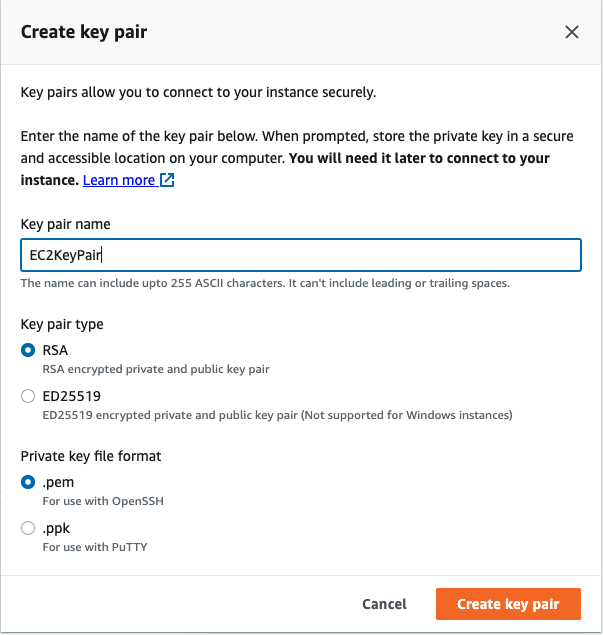
When launching a new EC2 instance, you can “Select an existing key pair or create a new key pair”. Below is an example of creating a new EC2 key pair and please make sure you have downloaded the Key Pair. while creatign it will download the .pem file.
2. How to SSH using Linux or Mac
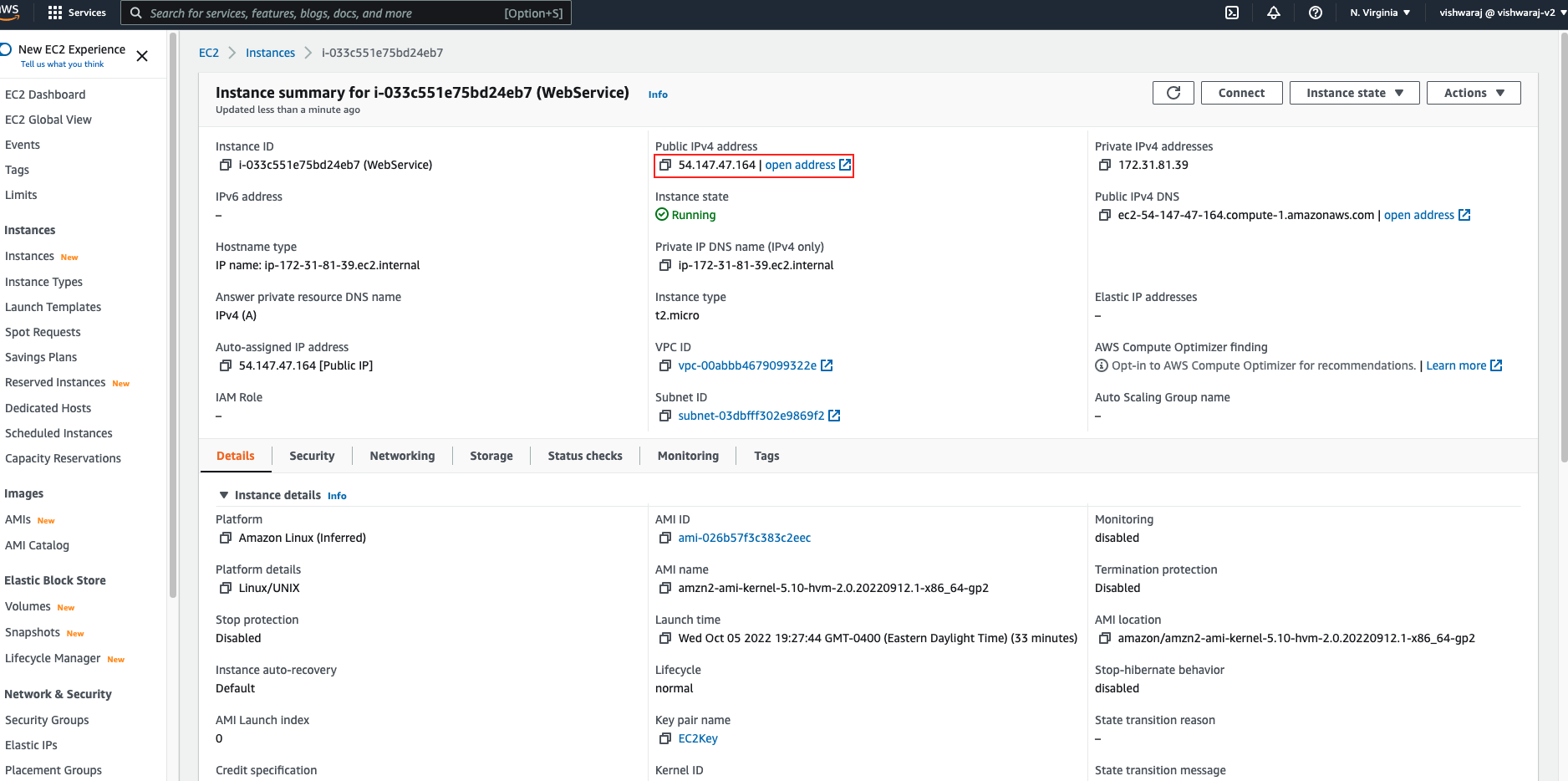
Make sure your EC2 Instance is running

- Look for Public IP
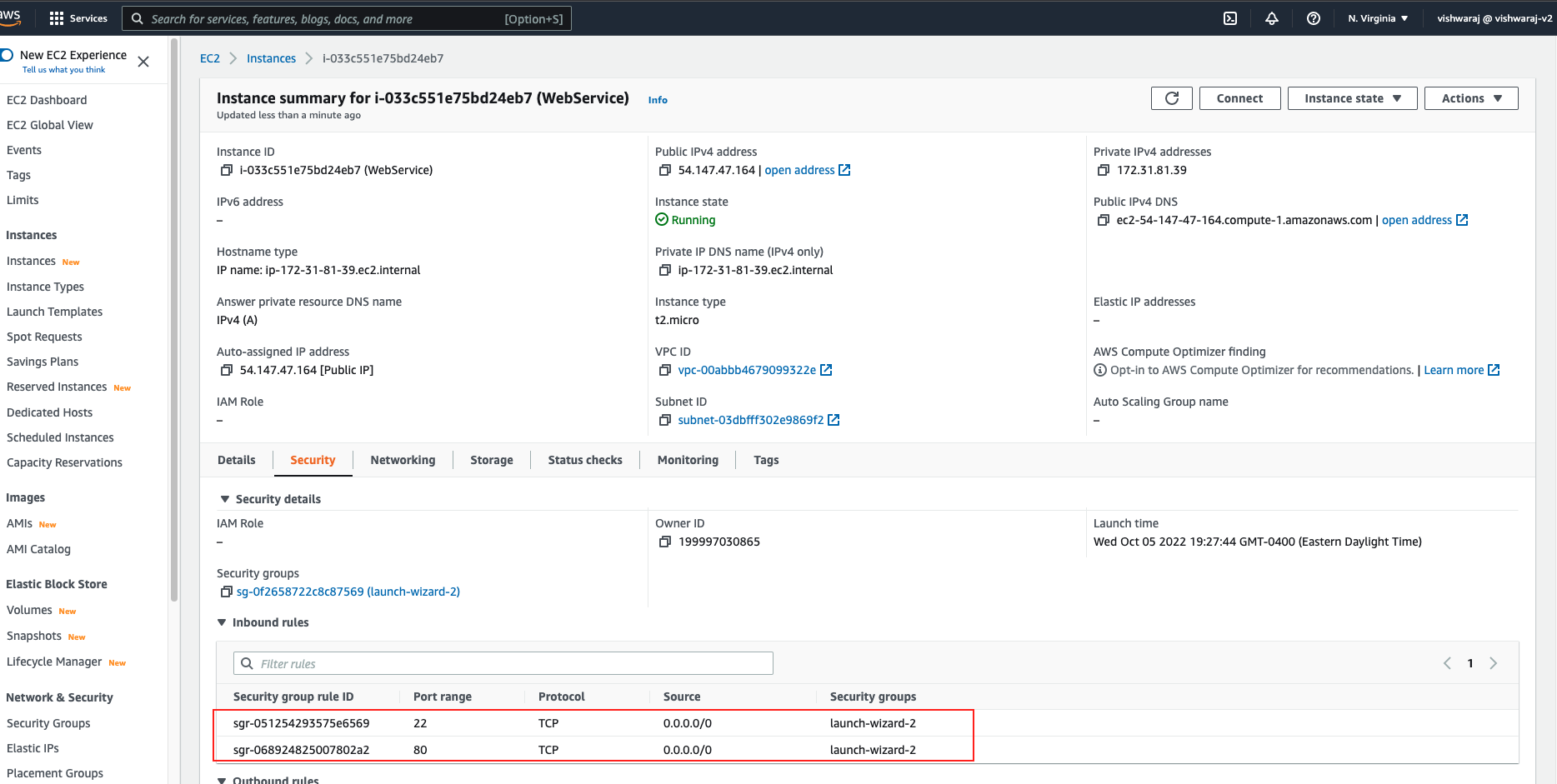
- And make sure port 22 is open in inbound rules set up correctly
Next, open a terminal and execute the following command
ssh ec2-user@54.147.47.164
ec2-user is the linux user into our Amazon Linux machine.
And you will get an error with Permission denied as follow you
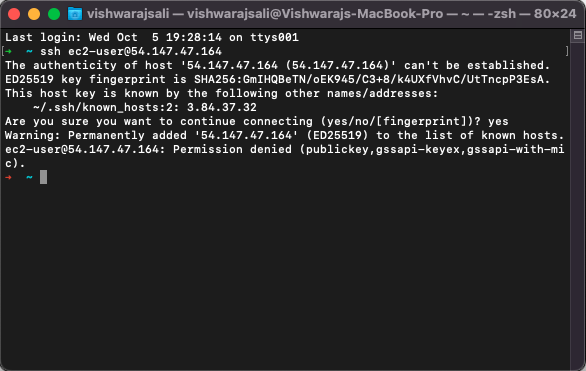
It won’t allow anyone to get into the machine, we just want ourselves to get into that machine. This is why we have downloaded a key file, EC2KeyPair.pem, and so we are going to have to use that key to get into our machine.
To reference a key file, use -i followed by the path to key file, for example in the same directory:
ssh -i EC2KeyPair.pem ec2-user@54.147.47.164
Click on enter, and now we get another warning. It says,
⇒  ssh -i EC2KeyPair.pem ec2-user@54.147.47.164
@@@@@@@@@@@@@@@@@@@@@@@@@@@@@@@@@@@@@@@@@@@@@@@@@@@@@@@@@@@
@         WARNING: UNPROTECTED PRIVATE KEY FILE!          @
@@@@@@@@@@@@@@@@@@@@@@@@@@@@@@@@@@@@@@@@@@@@@@@@@@@@@@@@@@@
Permissions 0644 for 'EC2KeyPair.pem' are too open.
It is required that your private key files are NOT accessible by others.
This private key will be ignored.
Load key "EC2KeyPair.pem": bad permissions
ec2-user@54.147.47.164: Permission denied (publickey,gssapi-keyex,gssapi-with-mic).
0644 basically means the private key is accessible by others and that is a bad permissions. So to fix this very common question, you do:
chmod 0400 EC2KeyPair.pem
Once thats done you can run following commmad again
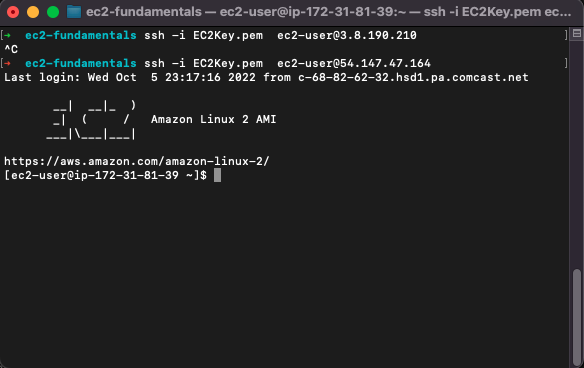
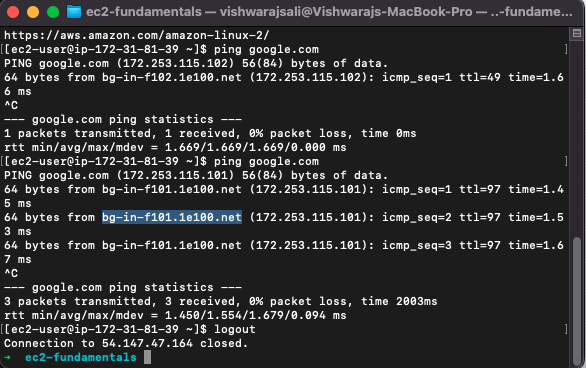
to disconect from the E2C you can simple run following command
logout